




SCENARIO ATLAS · NUMA OPS

See how NUMA helps with the next step.

Your day, your home and your work, explained through familiar situations. Explore personal examples and the people behind five real projects.

Project websites are public. Walkthroughs are illustrative examples of work through OPS and CORE; documented results are identified separately.

PROJECT SHOWCASE

Five projects. The people doing the work.

The same projects seen from the organiser, consultant, host or operator’s day. CORE holds the business record; OPS helps the person move the work forward.

01Retail & marketplace

Vintage Design Center

One object, from showroom to collection.

A physical design destination and online marketplace connecting independent sellers, objects and buyers.

NUMA OPS

Help the operator find the object, answer the buyer and prepare the next step.

Visit the project vintagedesigncenter.com
Follow an example workflow

Workflow illustration

  1. 01

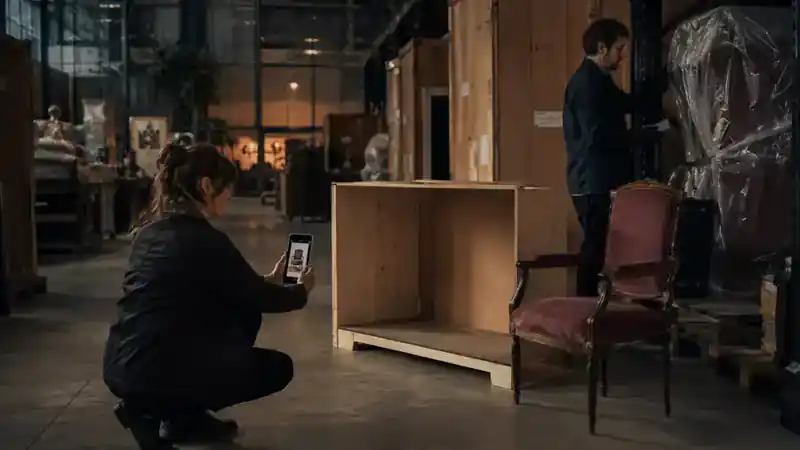
    A buyer scans a showroom label or asks about an online object.

  2. 02

    The operator reviews the object file, seller, condition and availability.

  3. 03

    The seller or authorised operator confirms the price and collection conditions.

  4. 04

    The sale and collection plan refer to the same object and agreed conditions.

TMO CORE

Keep the object, seller, agreed sale and collection record together.

See the other side of the story


02Automotive & private sales

Scuderia Milano

The vehicle file behind a private introduction.

Private automotive consultancy, selected catalogues, provenance research and specialist coordination.

NUMA OPS

Bring the enquiry, documents and owner instructions into the consultant’s working context.

Visit the project scuderia-milano.com
Follow an example workflow

Workflow illustration

  1. 01

    A collector asks about a vehicle or requests access to a selected catalogue.

  2. 02

    The consultant assembles the relevant history, images and disclosure instructions.

  3. 03

    The owner or authorised specialist decides which details and next steps may be shared.

  4. 04

    The selected introduction, offer and handover remain connected to the vehicle file.

TMO CORE

Connect a vehicle file, catalogue access, offer and agreed handover.

See the other side of the story
03Consultancy & digital delivery

CSM Associates / CSM LABS

From a first brief to agreed delivery.

Commercial consultancy and digital projects, from websites and customer journeys to implementation and growth.

NUMA OPS

Turn messages and meetings into a usable brief, proposal and follow-up.

Visit the project csmconsultancy.com
Follow an example workflow

Workflow illustration

  1. 01

    A business shares a website, launch or commercial problem.

  2. 02

    The consultant brings the brief, source material, meetings and proposal together.

  3. 03

    Client and consultant agree the scope, responsibilities and next milestone.

  4. 04

    Delivery and subsequent changes can be reviewed against the agreed engagement.

TMO CORE

Keep the engagement scope, responsibilities, milestones and approved changes together.

See the other side of the story

04Hospitality & direct discovery

Overnightstay

From finding a stay to preparing an arrival.

An accommodation directory for Flanders that helps guests find and contact providers directly.

NUMA OPS

Help a host bring the guest request, preparation tasks and arrival changes into one working view.

Visit the project overnightstay.be
Follow an example workflow

Workflow illustration

  1. 01

    A guest discovers an accommodation and contacts the provider directly.

  2. 02

    The host reviews the requested dates, room requirements and practical questions.

  3. 03

    The host and guest confirm the reservation and applicable conditions.

  4. 04

    A hospitality workflow connects the confirmed stay to room preparation and arrival.

TMO CORE

Illustrate how dates, room availability, reservation conditions and staff handovers can stay connected.

See the other side of the story

05Executive experiences & events

The Race Within

A considered application. A coordinated experience.

A proposed human-performance programme for leaders, built around racing intelligence, private hospitality and follow-up.

NUMA OPS

Help the organiser prepare enquiries, itineraries, partner tasks and participant follow-up.

Visit the project race-within.com
Follow an example workflow

Workflow illustration

  1. 01

    A leader expresses interest in a proposed retreat or private programme.

  2. 02

    The organiser prepares the fit conversation, programme outline and practical requirements.

  3. 03

    The participant and organiser agree the place, inclusions and responsibilities.

  4. 04

    The agreed programme guides partner coordination, arrival and subsequent follow-up.

TMO CORE

Illustrate how participant places, agreed inclusions, partners and programme changes can stay connected.

See the other side of the story
THE ORIGINAL ATLASBrowse all 48 workflow examplesChoose a situation and follow the seven steps.
PrivateMorning priority collisionCalendar, travel and two urgent messages compete for the same hour.Explore the steps
Illustration for: Morning priority collision
Illustrative scene

Person doing the work: Individual

  1. Signal

    Calendar, travel and two urgent messages compete for the same hour.

  2. Context

    NUMA brings the changed calendar, live travel time and the two chosen messages into one private morning view.

  3. Understand

    The fixed appointment needs a travel buffer; one reply can wait and the other changes the route.

  4. Options

    Three workable sequences show departure time, deferred messages and the risk of arriving late.

  5. Approval

    The individual chooses the sequence and whether either draft reply may be sent.

  6. Action

    One approved sequence replaces five disconnected reminders.

  7. Evidence

    The resulting plan keeps the calendar change, route source and chosen replies together without publishing private reasoning.

Intended result

One approved sequence replaces five disconnected reminders.

PrivateCare appointment changeA care appointment moves while transport and medication timing remain linked.Explore the steps
Illustration for: Care appointment change
Illustrative scene

Person doing the work: Individual

  1. Signal

    A care appointment moves while transport and medication timing remain linked.

  2. Context

    Only the care appointment, transport booking, medication window and chosen trusted contact enter this view.

  3. Understand

    Moving the visit also moves the safe departure time and may conflict with medication already prepared.

  4. Options

    NUMA compares accepting the new slot, requesting another time or changing transport with the care constraints visible.

  5. Approval

    The individual or authorised carer confirms the revised care and transport plan.

  6. Action

    The revised plan respects the private care context.

  7. Evidence

    Appointment notice, chosen response, transport confirmation and medication reminder remain one private chain.

Intended result

The revised plan respects the private care context.

PrivateTravel disruptionA cancelled connection affects arrival, pickup and a booked meeting.Explore the steps
Illustration for: Travel disruption
Illustrative scene

Person doing the work: Individual

  1. Signal

    A cancelled connection affects arrival, pickup and a booked meeting.

  2. Context

    The cancelled leg is read beside the booked meeting, pickup promise and live alternatives—nothing else from the traveller’s day.

  3. Understand

    The original arrival is impossible; protecting the meeting means changing either the pickup or the route.

  4. Options

    Alternative trains, a later pickup and a remote meeting are ranked by time, cost and people affected.

  5. Approval

    The traveller selects the route and explicitly approves each notification or rebooking.

  6. Action

    Options and consequences are ready before rebooking.

  7. Evidence

    Cancellation source, selected alternative, changed bookings and sent notices remain reviewable together.

Intended result

Options and consequences are ready before rebooking.

PrivateDocument deadlineA letter creates a deadline, required documents and a follow-up decision.Explore the steps
Illustration for: Document deadline
Illustrative scene

Person doing the work: Individual

  1. Signal

    A letter creates a deadline, required documents and a follow-up decision.

  2. Context

    NUMA links the received letter to its deadline, requested attachments and the owner’s existing document folder.

  3. Understand

    Two required documents are present, one is outdated and one decision cannot be inferred from the letter.

  4. Options

    The owner sees a complete-response route, a clarification request and the consequence of missing the date.

  5. Approval

    The owner confirms the response, selected attachments and destination before anything leaves OPS.

  6. Action

    The source and response remain one attributable chain.

  7. Evidence

    Original letter, extracted deadline, approved documents, submission receipt and follow-up stay linked.

Intended result

The source and response remain one attributable chain.

PrivateWarranty and repairA receipt, product photo and fault report need to become one claim.Explore the steps
Illustration for: Warranty and repair
Illustrative scene

Person doing the work: Individual

  1. Signal

    A receipt, product photo and fault report need to become one claim.

  2. Context

    Pieter’s receipt, coffee-machine identity, fault video and retailer warranty terms are assembled inside his private OPS context.

  3. Understand

    The purchase is in warranty; the visible fault and serial number meet the evidence requirement, but no claim has been sent.

  4. Options

    NUMA prepares repair, replacement and retailer-contact routes with timing, packaging and data-sharing differences.

  5. Approval

    Pieter selects the repair claim and approves exactly the receipt, product identity, fault evidence and contact details to share.

  6. Action

    The claim is prepared with complete evidence.

  7. Evidence

    The submitted claim, approved payload, retailer receipt and repair status form one chain; unrelated private context never crosses.

Intended result

The claim is prepared with complete evidence.

PrivatePersonal cost warningA recurring cost changes outside the expected range.Explore the steps
Illustration for: Personal cost warning
Illustrative scene

Person doing the work: Individual

  1. Signal

    A recurring cost changes outside the expected range.

  2. Context

    The changed charge is compared with its contract, earlier payments and the owner’s chosen alert threshold.

  3. Understand

    The increase is real, starts next cycle and compounds beyond the amount the owner marked as acceptable.

  4. Options

    Keep, downgrade, negotiate and cancel routes show annual impact, notice period and service loss.

  5. Approval

    The owner chooses whether NUMA may draft a response, schedule a reminder or take no action.

  6. Action

    NUMA shows impact and waits for the owner’s decision.

  7. Evidence

    Price notice, comparison, chosen action and supplier confirmation remain attached to the recurring cost.

Intended result

NUMA shows impact and waits for the owner’s decision.

PrivateFamily visit planningTravel, accessibility, meals and availability must align.Explore the steps
Illustration for: Family visit planning
Illustrative scene

Person doing the work: Individual

  1. Signal

    Travel, accessibility, meals and availability must align.

  2. Context

    Only shared availability, travel needs, accessibility requirements and agreed meal preferences enter the visit plan.

  3. Understand

    The first date excludes one visitor and the easiest venue creates an accessibility problem.

  4. Options

    Two dates and one hybrid visit show who can attend, travel burden and meal consequences.

  5. Approval

    The organiser chooses the proposal before NUMA sends any invitation or exposes availability.

  6. Action

    One plan exposes conflicts before invitations go out.

  7. Evidence

    The agreed date, accessibility plan, invitations and later changes stay together; rejected private details do not.

Intended result

One plan exposes conflicts before invitations go out.

PrivateSensitive note to actionA private note implies a reminder without needing to be shared.Explore the steps
Illustration for: Sensitive note to action
Illustrative scene

Person doing the work: Individual

  1. Signal

    A private note implies a reminder without needing to be shared.

  2. Context

    The private note is interpreted locally beside the owner’s reminders and chosen project—without copying its sensitive wording.

  3. Understand

    A reminder is useful, but the reason behind it is not necessary for the task or anyone else.

  4. Options

    NUMA offers a neutral reminder, a private follow-up or no action, each with a visible disclosure level.

  5. Approval

    The owner confirms the neutral wording, timing and whether the note may remain linked privately.

  6. Action

    The action exists; the sensitive reason stays private.

  7. Evidence

    The reminder records its approval while the sensitive source remains separately protected.

Intended result

The action exists; the sensitive reason stays private.

PrivateSubscription cancellationA cancellation needs notice timing, proof and confirmation.Explore the steps
Illustration for: Subscription cancellation
Illustrative scene

Person doing the work: Individual

  1. Signal

    A cancellation needs notice timing, proof and confirmation.

  2. Context

    Contract start, renewal date, notice rule, recent invoice and cancellation channel are assembled.

  3. Understand

    The owner can still avoid the next renewal, but only if the notice is delivered through the stated channel.

  4. Options

    Immediate cancellation, end-of-term cancellation and downgrade show cost, access and timing.

  5. Approval

    The owner chooses the exit route and approves the final notice before submission.

  6. Action

    The complete exit trail remains reviewable.

  7. Evidence

    Contract rule, approved notice, delivery proof and supplier confirmation form the complete exit trail.

Intended result

The complete exit trail remains reviewable.

PrivatePersonal archive exportThe owner requests a portable history of selected projects.Explore the steps

Illustration for: Personal archive export
Illustrative scene

Person doing the work: Auditor

  1. Signal

    The owner requests a portable history of selected projects.

  2. Context

    The owner selects projects, date range and attachment classes; unselected private areas remain closed.

  3. Understand

    Some records depend on connectors, so the export must preserve source references and identify unavailable material.

  4. Options

    Portable archive, evidence-only package and human-readable report show different completeness and size.

  5. Approval

    The owner confirms the scope, destination and encryption choice before generation.

  6. Action

    Context exports without hidden supplier dependency.

  7. Evidence

    The export contains a manifest, source map, omissions and checksum so it remains usable beyond one supplier.

Intended result

Context exports without hidden supplier dependency.

Home / MY-HOUSELeak and urgent repairA photo, resident message and contractor availability arrive separately.Explore the steps
Illustration for: Leak and urgent repair
Illustrative scene

Person doing the work: Resident

  1. Signal

    A photo, resident message and contractor availability arrive separately.

  2. Context

    The House connects the leak photo, affected room, resident access window, earlier repair and contractor availability.

  3. Understand

    Water must be contained now; the contractor needs location detail but no unrelated household information.

  4. Options

    Emergency containment and two repair appointments show access, price and disruption.

  5. Approval

    An authorised resident chooses the contractor, work scope and temporary access window.

  6. Action

    The House approves one repair chain with evidence.

  7. Evidence

    Request, quotation, access grant, completion photo and resident sign-off remain one repair record.

Intended result

The House approves one repair chain with evidence.

Home / MY-HOUSEShared household calendarResidents have overlapping work, school, care and visitor commitments.Explore the steps
Illustration for: Shared household calendar
Illustrative scene

Person doing the work: Resident

  1. Signal

    Residents have overlapping work, school, care and visitor commitments.

  2. Context

    Each resident shares only relevant busy/free windows from work, school, care and visitor calendars.

  3. Understand

    The apparent free evening conflicts with care pickup and one visitor access requirement.

  4. Options

    The House proposes two shared windows and one split arrangement without exposing event titles.

  5. Approval

    Residents confirm the shared entry and which participants receive it.

  6. Action

    Only relevant shared availability becomes visible.

  7. Evidence

    The household event keeps participant approvals and changes, while each private calendar remains private.

Intended result

Only relevant shared availability becomes visible.

Home / MY-HOUSEGuest access windowA guest needs temporary access without receiving resident authority.Explore the steps
Illustration for: Guest access window
Illustrative scene

Person doing the work: Resident

  1. Signal

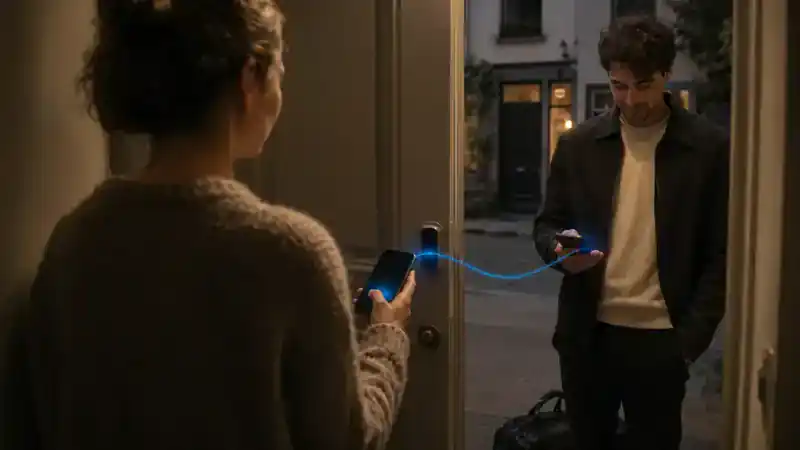
    A guest needs temporary access without receiving resident authority.

  2. Context

    Guest identity, door, permitted time and the responsible resident are combined for this visit only.

  3. Understand

    The guest needs entry but neither resident membership nor access to other rooms.

  4. Options

    Single-use code, supervised entry and timed mobile access show convenience and risk.

  5. Approval

    The responsible resident chooses the method, door and expiry.

  6. Action

    Access expires automatically with a retained grant record.

  7. Evidence

    Grant, use, expiry and revocation are recorded without turning the guest into a resident.

Intended result

Access expires automatically with a retained grant record.

Home / MY-HOUSENeighbourhood tool loanA resident offers a tool for a defined period and condition.Explore the steps
Illustration for: Neighbourhood tool loan
Illustrative scene

Person doing the work: Resident

  1. Signal

    A resident offers a tool for a defined period and condition.

  2. Context

    Tool identity, condition, availability and the owner’s lending rules are prepared inside the House.

  3. Understand

    The offer can be public, but household notes, address detail and member history are not part of it.

  4. Options

    Direct neighbour loan, MY-HOUSE listing and no publication show reach, custody and privacy differences.

  5. Approval

    The owner approves the public description, pickup window and condition rule.

  6. Action

    The approved public offer reaches MY-HOUSE; private context does not.

  7. Evidence

    Published offer, borrower acceptance, pickup condition and return condition form the loan trail.

Intended result

The approved public offer reaches MY-HOUSE; private context does not.

Home / MY-HOUSERoom rental preparationHouse rules, availability, price and resident approval must align.Explore the steps
Illustration for: Room rental preparation
Illustrative scene

Person doing the work: Resident

  1. Signal

    House rules, availability, price and resident approval must align.

  2. Context

    Room facts, House rules, resident approvals, available dates and desired price are assembled.

  3. Understand

    Two private House rules need a publishable version; one date conflicts with resident use.

  4. Options

    Short stay, recurring rental and no listing show revenue, access and household impact.

  5. Approval

    The authorised residents approve dates, public description, price and house conditions.

  6. Action

    The publishable offer and commercial consequence are separated.

  7. Evidence

    The approved projection can reach MY-HOUSE or CORE while private deliberation stays in OPS.

Intended result

The publishable offer and commercial consequence are separated.

Home / MY-HOUSEService requestA household asks for cleaning, repair or care support.Explore the steps
Illustration for: Service request
Illustrative scene

Person doing the work: Resident

  1. Signal

    A household asks for cleaning, repair or care support.

  2. Context

    The household need, chosen photos, access limits and preferred service window are gathered privately.

  3. Understand

    A provider needs a bounded job description—not the family situation that caused the request.

  4. Options

    Local providers, timing and service levels are compared against access and care constraints.

  5. Approval

    The resident chooses the provider-facing brief and approves publication or direct delivery.

  6. Action

    Private need becomes a scoped request, not a public profile.

  7. Evidence

    Request, quotes, selected scope, access grant and completion proof remain attributable.

Intended result

Private need becomes a scoped request, not a public profile.

Home / MY-HOUSEShared purchaseSeveral residents contribute preferences and approval to one purchase.Explore the steps
Illustration for: Shared purchase
Illustrative scene

Person doing the work: Resident

  1. Signal

    Several residents contribute preferences and approval to one purchase.

  2. Context

    Each resident’s preference, budget contribution and approval right are visible in one House decision.

  3. Understand

    The cheapest option misses one required feature; the preferred option exceeds one member’s mandate.

  4. Options

    Three products show feature fit, total cost, split contribution and delivery consequence.

  5. Approval

    Every required resident confirms the item and their own contribution before purchase.

  6. Action

    Authority and payment consequence remain attributable.

  7. Evidence

    Preferences, approvals, payment shares, order and receipt remain one attributable House purchase.

Intended result

Authority and payment consequence remain attributable.

Home / MY-HOUSEContractor handoverA contractor needs site detail but not private household notes.Explore the steps
Illustration for: Contractor handover
Illustrative scene

Person doing the work: Partner

  1. Signal

    A contractor needs site detail but not private household notes.

  2. Context

    The contractor receives the site, task, hazard, appointment and access details selected by the resident.

  3. Understand

    Private household notes and unrelated rooms do not help complete the work and must stay hidden.

  4. Options

    A scoped Role App, one-time brief or supervised visit show different access and update paths.

  5. Approval

    The resident confirms the exact work boundary and temporary authority.

  6. Action

    The Role App exposes only the work boundary.

  7. Evidence

    Viewed instructions, access use, contractor updates and completion sign-off remain in the job chain.

Intended result

The Role App exposes only the work boundary.

Home / MY-HOUSENeighbourhood eventResidents prepare a shared event and choose what becomes public.Explore the steps
Illustration for: Neighbourhood event
Illustrative scene

Person doing the work: Resident

  1. Signal

    Residents prepare a shared event and choose what becomes public.

  2. Context

    The Community House brings organiser tasks, resident availability, shared equipment and the proposed public invitation together.

  3. Understand

    Every resident has a different role, but the public event must have one time, capacity and contact point.

  4. Options

    Two dates and venue layouts show volunteer coverage, weather fallback and public capacity.

  5. Approval

    Participants approve their tasks; the organiser approves the shared Community House projection.

  6. Action

    MY-HOUSE receives the approved projection only.

  7. Evidence

    The central event entity links each approved task and public update while private messages stay with their residents.

Intended result

MY-HOUSE receives the approved projection only.

Home / MY-HOUSEHouse authority reviewMembership and temporary access need periodic review.Explore the steps
Illustration for: House authority review
Illustrative scene

Person doing the work: Auditor

  1. Signal

    Membership and temporary access need periodic review.

  2. Context

    Current residents, managers, guests, contractors, devices and expiry dates are shown by scope.

  3. Understand

    One guest grant expired, one contractor can still view a finished job and one resident role is broader than needed.

  4. Options

    Keep, narrow, suspend and revoke actions show who loses which capability.

  5. Approval

    The House owner or delegated manager confirms each consequential authority change.

  6. Action

    Expired or excessive authority is identified before misuse.

  7. Evidence

    Previous scope, reviewer, approved change and effective time remain visible after authority changes.

Intended result

Expired or excessive authority is identified before misuse.

WorkPotential client emailAn authorised inbox receives a credible enquiry with intent, timing and contact detail.Explore the steps
Illustration for: Potential client email
Illustrative scene

Person doing the work: Professional

  1. Signal

    An authorised inbox receives a credible enquiry with intent, timing and contact detail.

  2. Context

    The authorised inbox message is read beside existing contacts, services, availability and duplicate leads.

  3. Understand

    The enquiry is credible, time-sensitive and new; one requested promise still needs clarification.

  4. Options

    NUMA proposes a lead, a project or a clarification reply with ownership and next dates.

  5. Approval

    The professional confirms the record type, owner and any outgoing reply with one tap.

  6. Action

    NUMA proposes a lead or project with one tap and retains the source conversation.

  7. Evidence

    Source conversation, accepted fields, created work item and response remain linked.

Intended result

NUMA proposes a lead or project with one tap and retains the source conversation.

WorkProposal revisionScope changes affect cost, timing and earlier commitments.Explore the steps
Illustration for: Proposal revision
Illustrative scene

Person doing the work: Professional

  1. Signal

    Scope changes affect cost, timing and earlier commitments.

  2. Context

    The requested scope change is compared with the current proposal, costs, delivery plan and earlier commitments.

  3. Understand

    The extra work changes price and timing; keeping the original date requires removing another deliverable.

  4. Options

    Three revisions show scope, price, delivery risk and what remains unchanged.

  5. Approval

    The responsible professional approves the selected revision before the client sees it.

  6. Action

    The new option exposes every consequence before sending.

  7. Evidence

    Request, compared versions, internal approval and sent proposal keep their sequence.

Intended result

The new option exposes every consequence before sending.

WorkMeeting to decisionsA meeting produces tasks, risks and decisions for several owners.Explore the steps
Illustration for: Meeting to decisions
Illustrative scene

Person doing the work: Professional

  1. Signal

    A meeting produces tasks, risks and decisions for several owners.

  2. Context

    Transcript, agenda, referenced files and participant roles are brought into the meeting workspace.

  3. Understand

    NUMA separates decisions from suggestions, identifies unresolved risks and finds two tasks without owners.

  4. Options

    A decision list, task plan and follow-up agenda show owners, dates and unresolved questions.

  5. Approval

    Participants confirm their decisions and owners; the chair approves the distributed record.

  6. Action

    Each action keeps its reason and authority.

  7. Evidence

    Each task and decision retains its meeting moment, source words, owner confirmation and later outcome.

Intended result

Each action keeps its reason and authority.

WorkDeadline at riskA dependency slips and affects customer expectation.Explore the steps
Illustration for: Deadline at risk
Illustrative scene

Person doing the work: Professional

  1. Signal

    A dependency slips and affects customer expectation.

  2. Context

    The slipping dependency is viewed beside the plan, downstream tasks, customer promise and available capacity.

  3. Understand

    Without intervention the customer date moves; only one task can be parallelised safely.

  4. Options

    Resequence, add capacity and renegotiate routes show cost, risk and customer impact.

  5. Approval

    The accountable lead selects the recovery route and approves any external expectation change.

  6. Action

    NUMA prepares recovery options and escalation.

  7. Evidence

    Original dependency, risk detection, approved recovery and customer communication form one timeline.

Intended result

NUMA prepares recovery options and escalation.

WorkDocument comparisonTwo versions contain material differences and missing evidence.Explore the steps
Illustration for: Document comparison
Illustrative scene

Person doing the work: Professional

  1. Signal

    Two versions contain material differences and missing evidence.

  2. Context

    Both authorised versions, their dates, authors and referenced evidence are aligned section by section.

  3. Understand

    Three changes alter obligations, one attachment is missing and two edits are cosmetic.

  4. Options

    Accept, reject or ask clarification actions are prepared per material difference.

  5. Approval

    The reviewer confirms each material decision and the final version status.

  6. Action

    The reviewer sees changes, impact and unresolved questions.

  7. Evidence

    Version hashes, highlighted differences, decisions and final document remain linked.

Intended result

The reviewer sees changes, impact and unresolved questions.

WorkSupplier exceptionA supplier cannot meet the agreed quantity or date.Explore the steps
Illustration for: Supplier exception
Illustrative scene

Person doing the work: Professional

  1. Signal

    A supplier cannot meet the agreed quantity or date.

  2. Context

    Supplier notice, agreed quantity and date, current stock, customer commitments and alternatives are combined.

  3. Understand

    The shortage affects two commitments; substituting everything would breach one quality rule.

  4. Options

    Partial delivery, approved substitute and alternate supplier routes show cost, timing and affected orders.

  5. Approval

    The responsible buyer approves the exception and any changed customer promise.

  6. Action

    Alternatives are compared against operational impact.

  7. Evidence

    Supplier notice, evaluated alternatives, approval and revised fulfilment remain attributable.

Intended result

Alternatives are compared against operational impact.

WorkField evidence captureA mobile worker records completion, exception and photo proof.Explore the steps
Illustration for: Field evidence capture
Illustrative scene

Person doing the work: Operator

  1. Signal

    A mobile worker records completion, exception and photo proof.

  2. Context

    The worker’s assigned task, location, checklist and permitted evidence fields are loaded on the mobile Role App.

  3. Understand

    The work is complete but one visible deviation requires explanation before the office can accept it.

  4. Options

    Complete, complete-with-exception and request-review states show the next responsible person.

  5. Approval

    The worker confirms the captured state; a supervisor approves any consequential exception.

  6. Action

    The office sees trusted state without retyping.

  7. Evidence

    Time, location, checklist, photo, exception and sign-off reach the office without retyping.

Intended result

The office sees trusted state without retyping.

WorkColleague handoverA colleague takes over during absence or role change.Explore the steps
Illustration for: Colleague handover
Illustrative scene

Person doing the work: Professional

  1. Signal

    A colleague takes over during absence or role change.

  2. Context

    Active tasks, decisions, deadlines, client promises and selected source documents are grouped for the receiving colleague.

  3. Understand

    Two items need action during the absence; one sensitive thread must stay with the original owner.

  4. Options

    Full task handover, limited cover and escalation-only routes show authority and continuity differences.

  5. Approval

    The current owner and manager confirm scope, duration and excluded context.

  6. Action

    Open decisions, risks and sources travel with the work.

  7. Evidence

    Transferred tasks, temporary authority, acknowledgements and return of ownership remain visible.

Intended result

Open decisions, risks and sources travel with the work.

WorkCost thresholdA planned action moves beyond delegated spending authority.Explore the steps
Illustration for: Cost threshold
Illustrative scene

Person doing the work: Professional

  1. Signal

    A planned action moves beyond delegated spending authority.

  2. Context

    The planned purchase is compared with budget, delegated limit, project need and existing commitments.

  3. Understand

    The action is justified but exceeds the professional’s authority by a visible amount.

  4. Options

    Reduce scope, split timing and request approval show project and supplier consequences.

  5. Approval

    The designated approver receives the complete reason and confirms or rejects the commitment.

  6. Action

    The right approver receives context before commitment.

  7. Evidence

    Requested amount, delegated limit, supporting context, decision and purchase remain linked.

Intended result

The right approver receives context before commitment.

WorkProject portfolio conflictSeveral projects compete for the same people and budget.Explore the steps
Illustration for: Project portfolio conflict
Illustrative scene

Person doing the work: Manager

  1. Signal

    Several projects compete for the same people and budget.

  2. Context

    People, budget, milestones, dependencies and client commitments are compared across the active portfolio.

  3. Understand

    Three projects need the same specialist in the same week; only two commitments can remain unchanged.

  4. Options

    Resequence, substitute capacity and renegotiate routes show portfolio-wide trade-offs.

  5. Approval

    The portfolio manager confirms priority and every resulting client or team change.

  6. Action

    Trade-offs become visible across the portfolio.

  7. Evidence

    Competing demands, selected trade-off, approvals and changed milestones remain reconstructable.

Intended result

Trade-offs become visible across the portfolio.

WorkPhone-off continuityThe Pocket device goes offline while authorised mail and operational events continue to arrive.Explore the steps
Illustration for: Phone-off continuity
Illustrative scene

Person doing the work: Professional

  1. Signal

    The Pocket device goes offline while authorised mail and operational events continue to arrive.

  2. Context

    OPS detects the Pocket device is offline while authorised mail, tasks and operational events continue arriving.

  3. Understand

    Nothing is lost, but device-bound approvals and private notifications cannot be assumed delivered.

  4. Options

    Queue, approved desktop fallback and trusted-contact escalation show what can continue safely.

  5. Approval

    Only fallbacks previously authorised by the user activate; new authority waits.

  6. Action

    OPS queues visible work and uses only user-approved fallbacks.

  7. Evidence

    Arrival time, offline period, fallback use, deferred approvals and later device receipt remain visible.

Intended result

OPS queues visible work and uses only user-approved fallbacks.

WorkDecision evidence exportA client or auditor needs the basis for one consequential decision.Explore the steps
Illustration for: Decision evidence export
Illustrative scene

Person doing the work: Auditor

  1. Signal

    A client or auditor needs the basis for one consequential decision.

  2. Context

    The request is scoped to one decision, entitled requester, time range and permitted supporting records.

  3. Understand

    The reason and approval are shareable; unrelated client work and private notes are not.

  4. Options

    Summary, full evidence line and machine-readable export show disclosure and verification differences.

  5. Approval

    The evidence owner confirms requester, scope, redactions and destination.

  6. Action

    The relevant chain exports without unrelated private context.

  7. Evidence

    The export records what was included, withheld, approved and checksummed.

Intended result

The relevant chain exports without unrelated private context.

OrganisationStaff absence responseAn absence collides with capacity, accessibility and customer arrival.Explore the steps
Illustration for: Staff absence response
Illustrative scene

Person doing the work: Hotel manager

  1. Signal

    An absence collides with capacity, accessibility and customer arrival.

  2. Context

    Absence, live staffing, required skills, customer arrivals and fixed accessibility duties are combined.

  3. Understand

    The normal rota no longer covers the first arrival; one task can move and one cannot.

  4. Options

    Resequence, call-in cover and reduced service routes show workload and customer impact by role.

  5. Approval

    The duty manager approves the temporary operating brief and any promise change.

  6. Action

    A human-approved operating brief resequences the day.

  7. Evidence

    Absence signal, chosen cover, role instructions and resulting service state remain linked.

Intended result

A human-approved operating brief resequences the day.

OrganisationDelayed supplyA critical delivery delay affects several teams and promises.Explore the steps
Illustration for: Delayed supply
Illustrative scene

Person doing the work: Supply operator

  1. Signal

    A critical delivery delay affects several teams and promises.

  2. Context

    The supplier delay is matched with on-hand stock, production needs, open orders and role responsibilities.

  3. Understand

    The delayed item stops one line tomorrow and affects two customer promises later in the week.

  4. Options

    Reallocate, substitute and alternate-source routes show quality, cost and timing.

  5. Approval

    The operations lead approves the response and each affected customer communication.

  6. Action

    Each role receives the next authorised action.

  7. Evidence

    Supplier notice, impact analysis, role actions and revised fulfilment remain one chain.

Intended result

Each role receives the next authorised action.

OrganisationProduct and service rangeA business owner adds an offer that affects price, capacity, channels and fulfilment.Explore the steps
Illustration for: Product and service range
Illustrative scene

Person doing the work: Business owner

  1. Signal

    A business owner adds an offer that affects price, capacity, channels and fulfilment.

  2. Context

    The new offer is connected to product facts, price boundaries, capacity, channels, team roles and fulfilment.

  3. Understand

    One source description can be shared, but each channel needs its own promise, stock or capacity rule.

  4. Options

    Pilot, selected-channel and full-range launches show readiness, missing information and operational load.

  5. Approval

    The business owner approves range, price limits, capacity promise and publication destinations once.

  6. Action

    NUMA prepares every dependency; the owner approves the range once.

  7. Evidence

    Every channel promise traces to the approved business source and version.

Intended result

NUMA prepares every dependency; the owner approves the range once.

OrganisationWarehouse exceptionReceived goods differ from expected quantity or condition.Explore the steps
Illustration for: Warehouse exception
Illustrative scene

Person doing the work: Warehouse operator

  1. Signal

    Received goods differ from expected quantity or condition.

  2. Context

    Expected delivery, received units, condition evidence, dock location and responsible operators appear on the tablet.

  3. Understand

    Quantity matches, but two units are damaged and must not enter sellable stock.

  4. Options

    Accept, accept-with-quarantine and reject routes show stock and supplier consequences.

  5. Approval

    The receiving operator confirms the count and a supervisor approves the exception.

  6. Action

    Quarantine, evidence and escalation remain one flow.

  7. Evidence

    Supplier confirmation flows to the operator’s tablet and approved receipt status returns to authorised Pocket devices in NUMA colours.

Intended result

Quarantine, evidence and escalation remain one flow.

OrganisationHospitality room stateHousekeeping, accessibility and early arrival signals conflict.Explore the steps
Illustration for: Hospitality room state
Illustrative scene

Person doing the work: Hotel manager

  1. Signal

    Housekeeping, accessibility and early arrival signals conflict.

  2. Context

    Room status, staff skills, delayed linen, early arrivals and a fixed accessibility need are read together.

  3. Understand

    The accessible room and first arrival cannot move; the cleaning sequence can.

  4. Options

    Three room plans show staffing, linen use, guest wait and risk.

  5. Approval

    The hotel manager approves one plan before Role Apps update.

  6. Action

    The manager approves one revised room plan.

  7. Evidence

    Each room change retains its signal, manager authority, staff receipt and final readiness.

Intended result

The manager approves one revised room plan.

OrganisationBar and food-service rushBar orders, kitchen capacity, courier timing and shortages diverge.Explore the steps
Illustration for: Bar and food-service rush
Illustrative scene

Person doing the work: Bartender

  1. Signal

    Bar orders, kitchen capacity, courier timing and shortages diverge.

  2. Context

    Bar orders, kitchen capacity, table state, menu stock and courier times enter one service view.

  3. Understand

    The shortage affects two dishes; advancing pickups without resequencing would delay seated guests.

  4. Options

    Substitution, pacing and temporary channel-limit routes show customer and workload impact.

  5. Approval

    The floor manager approves the temporary service plan and any customer-facing change.

  6. Action

    Bartender, floor, kitchen and courier Role Apps show one controlled response.

  7. Evidence

    Bar, floor, kitchen and courier Role Apps acknowledge their part while substitutions and fulfilment remain linked.

Intended result

Bartender, floor, kitchen and courier Role Apps show one controlled response.

OrganisationTemporary delegationA manager delegates approval during travel or absence.Explore the steps
Illustration for: Temporary delegation
Illustrative scene

Person doing the work: Department manager

  1. Signal

    A manager delegates approval during travel or absence.

  2. Context

    The manager’s absence, delegate role, current limits, affected actions and travel period are shown together.

  3. Understand

    Operational approvals must continue, but pricing exceptions above the manager’s limit cannot be delegated.

  4. Options

    Action-limited, amount-limited and escalation-only delegations show continuity and exposure.

  5. Approval

    The manager confirms delegate, scope, limits, start and automatic expiry.

  6. Action

    Authority is limited by action, amount and time.

  7. Evidence

    Grant, every delegated approval, rejected over-limit action and expiry remain attributable.

Intended result

Authority is limited by action, amount and time.

OrganisationMarketplace dealer onboardingAn independent dealer needs a space, scoped access, clear duties and its own business authority.Explore the steps
Illustration for: Marketplace dealer onboarding
Illustrative scene

Person doing the work: Marketplace manager

  1. Signal

    An independent dealer needs a space, scoped access, clear duties and its own business authority.

  2. Context

    Dealer identity, assigned space, shared opening duties, requested access and own business authority are mapped.

  3. Understand

    The marketplace may govern shared space and safety, but cannot approve the dealer’s products or prices.

  4. Options

    Trial, standard and event-only participation show duties, access and publication scope.

  5. Approval

    Marketplace and dealer each approve only the responsibilities that belong to them.

  6. Action

    Shared market access begins without taking control of the dealer’s business.

  7. Evidence

    Participation terms, space assignment, access grants and independent business approvals remain separate but connected.

Intended result

Shared market access begins without taking control of the dealer’s business.

OrganisationOperational cost driftModel, connector or supplier costs rise outside expectation.Explore the steps
Illustration for: Operational cost drift
Illustrative scene

Person doing the work: Business owner

  1. Signal

    Model, connector or supplier costs rise outside expectation.

  2. Context

    Model usage, connector fees, supplier rates, activity volume and budget thresholds are compared by cause.

  3. Understand

    The increase comes from two sources: higher volume is expected, but a supplier rate changed without an approved forecast.

  4. Options

    Limit, reroute, renegotiate and accept routes show service and financial consequences.

  5. Approval

    The accountable manager selects controls and approves any service reduction or new commitment.

  6. Action

    NUMA exposes cause, impact and available controls.

  7. Evidence

    Baseline, detected drift, cause, chosen control and later cost outcome remain reviewable.

Intended result

NUMA exposes cause, impact and available controls.

OrganisationAuthority and action auditAn auditor reviews who could see, approve and change one process.Explore the steps
Illustration for: Authority and action audit
Illustrative scene

Person doing the work: Auditor

  1. Signal

    An auditor reviews who could see, approve and change one process.

  2. Context

    The auditor receives the process, time range, role definitions, authority grants and consequential actions—not universal access.

  3. Understand

    One action was correctly approved, one view was broader than the task required and one expired grant remained unused.

  4. Options

    Confirm, remediate and escalate findings show affected capability and evidence strength.

  5. Approval

    The authorised audit owner approves findings and any operational authority correction.

  6. Action

    The evidence shows authorised views without universal exposure.

  7. Evidence

    Grant, view, action, approval, finding and correction remain ordered without exposing unrelated context.

Intended result

The evidence shows authorised views without universal exposure.

Connected consequenceApproved commercial handoffPrivate work produces an agreement or payment consequence.Explore the steps
Illustration for: Approved commercial handoff
Illustrative scene

Person doing the work: Marketplace manager

  1. Signal

    Private work produces an agreement or payment consequence.

  2. Context

    OPS isolates the agreed product or service, parties, amount, conditions and approving authority from the private work behind it.

  3. Understand

    CORE needs the authorised consequence; it does not need drafts, private reasoning or unrelated project history.

  4. Options

    Draft, approve-and-send and hold routes show exactly what will cross the boundary.

  5. Approval

    The entitled partner confirms payload, destination and commercial consequence.

  6. Action

    Only the approved consequence crosses from OPS to CORE.

  7. Evidence

    OPS retains the approval; CORE returns an attributable receipt for the accepted or rejected result.

Intended result

Only the approved consequence crosses from OPS to CORE.

Connected consequenceMY-HOUSE publicationA House chooses to publish an event, offer or request.Explore the steps
Illustration for: MY-HOUSE publication
Illustrative scene

Person doing the work: Resident

  1. Signal

    A House chooses to publish an event, offer or request.

  2. Context

    The House separates the proposed event, offer or request from resident identities, private messages and internal notes.

  3. Understand

    Only the public description, place scope, timing and response route are required outside the House.

  4. Options

    Neighbour-only, city-visible and no-publication routes show audience and response consequences.

  5. Approval

    The authorised House members approve the projection and its expiry.

  6. Action

    Public content is projected without private members or notes.

  7. Evidence

    Published version, audience, approvals, responses and withdrawal remain linked; private membership does not cross.

Intended result

Public content is projected without private members or notes.

Connected consequenceConnector becomes staleA connected source stops responding or returns old state.Explore the steps
Illustration for: Connector becomes stale
Illustrative scene

Person doing the work: Operator

  1. Signal

    A connected source stops responding or returns old state.

  2. Context

    Last successful sync, source timestamp, expected refresh and dependent work are shown beside the stale value.

  3. Understand

    The value may still be useful as history, but it cannot support a current promise or automatic action.

  4. Options

    Wait, verify manually, use an approved alternate source or pause the dependent action.

  5. Approval

    The responsible operator chooses whether to proceed with a visibly qualified source.

  6. Action

    NUMA marks the limitation and blocks false certainty.

  7. Evidence

    Staleness detection, warning, selected fallback and later recovery remain in the connector history.

Intended result

NUMA marks the limitation and blocks false certainty.

Connected consequenceConnector revocationAn organisation removes a supplier or data connection.Explore the steps
Illustration for: Connector revocation
Illustrative scene

Person doing the work: Manager

  1. Signal

    An organisation removes a supplier or data connection.

  2. Context

    Connector identity, granted capabilities, dependent workflows, retained history and replacement plan are visible.

  3. Understand

    Future transfers can stop immediately while existing evidence remains necessary for operations and audit.

  4. Options

    Suspend, revoke now and revoke-after-migration routes show continuity and exposure.

  5. Approval

    The authorised manager confirms capability closure and any replacement route.

  6. Action

    Authority ends while retained history remains usable.

  7. Evidence

    Grant, last accepted transfer, revocation, rejected future calls and retained records remain attributable.

Intended result

Authority ends while retained history remains usable.

Connected consequenceMarketplace point of saleA VDC operator scans a barcode or QR code, confirms the sale or pickup and selects a receipt or label.Explore the steps
Illustration for: Marketplace point of sale
Illustrative scene

Person doing the work: Marketplace operator

  1. Signal

    A VDC operator scans a barcode or QR code, confirms the sale or pickup and selects a receipt or label.

  2. Context

    The operator sees the scanned object, seller, valid price, stock state, pickup promise and approved printing devices.

  3. Understand

    The object is available and the price is valid; sale and pickup must be confirmed as separate physical moments.

  4. Options

    Sale now, reserve for pickup and cancel show payment, custody and receipt consequences.

  5. Approval

    The VDC operator confirms the transaction and chooses receipt or label output on the authorised bridge.

  6. Action

    Order, stock and payment stay aligned; printing uses the authorised device bridge or a visible system fallback.

  7. Evidence

    Scan, operator confirmation, payment, stock change, print result and later pickup stay aligned.

Intended result

Order, stock and payment stay aligned; printing uses the authorised device bridge or a visible system fallback.

Connected consequenceCross-system evidenceAn outcome depends on signals from several connected systems.Explore the steps
Illustration for: Cross-system evidence
Illustrative scene

Person doing the work: Auditor

  1. Signal

    An outcome depends on signals from several connected systems.

  2. Context

    Entitled records from OPS, the approved handoff, CORE consequence and external receipts are aligned by correlation identity.

  3. Understand

    The outcome spans systems, but each source retains its own authority, timestamp and disclosure boundary.

  4. Options

    Evidence summary, participant receipt and full entitled chain show different disclosure scopes.

  5. Approval

    The evidence owner confirms requester, scope and redactions before export.

  6. Action

    Source, approval and consequence remain attributable end to end.

  7. Evidence

    Source events, approvals, handoff receipt, CORE state and later correction remain ordered end to end.

Intended result

Source, approval and consequence remain attributable end to end.

YOUR NEXT STEP

Start with the work you want to make easier.

See plans and inclusions Explore CORE

This website adds no advertising or analytics tracking. Necessary account and security services may use their own cookies. The choice below remembers only that you have read this notice.

Only when you choose Understood, corporate_cookie_notice stores necessary-v1 for 180 days on this host, with SameSite=Lax and Secure on HTTPS. No optional categories are active.

Read the cookie policy